
Migrating from any S3 compliant storage to Cloudflare R2
Overview
When I first started blogging about Terraform, I wanted to make it easier for people to get started with cloud provisioning without the complexity of AWS. I chose DigitalOcean because I admire the cloud provider’s simplicity and the work they put in on the Terraform provider. With this, I decided to host the taccoform blog in DigitalOcean as a way of becoming more familiar with the cloud provider. Starting with a single droplet, installing docker, pulling the repo, building the image, and finally starting the container. Deploying updates just required tainting the droplet resource and applying Terraform. This setup worked fine, but the droplet combined with s3-like storage was $25. After moving the compute portion of the blog to cloudflare pages, I reduced the DigitalOcean bill to $5 and thought I’d eventually get around to moving the remaining s3-like bucket to Cloudflare R2. Today was that day.
Lesson
For those who don’t know, Cloudflare has created their own S3-compliant storage system called “R2.” At the time of this writing, Cloudflare offers a free tier which gives you 10GB of storage per month and free egress data transfer. This allows me to host taccoform for free!
- I started by using the Digital Ocean interface to create an access and secret key (similar to AWS) and set them up as environment variables:
$ export AWS_ACCESS_KEY_ID='DIGITALOCEANACCESSKEYGOESHERE'
$ export AWS_SECRET_ACCESS_KEY='DIGITALOCEANSECRETKEYGOESHERE'
- Then I used
awsclito pull down all of the files:
$ aws s3 cp s3://taccoform-blog/static/ . --endpoint=https://sfo2.digitaloceanspaces.com --recursive
download: s3://taccoform-blog/static/post/aws_pvt_link_2/tacoform-privatelink.jpg to post/aws_pvt_link_2/tacoform-privatelink.jpg
download: s3://taccoform-blog/static/post/tfg_p2/header.jpg to post/tfg_p2/header.jpg
download: s3://taccoform-blog/static/post/pkr_p1/header.jpg to post/pkr_p1/header.jpg
download: s3://taccoform-blog/static/post/aws_localstack/header.jpg to post/aws_localstack/header.jpg
download: s3://taccoform-blog/static/post/aws_pvt_link_1/header.jpg to post/aws_pvt_link_1/header.jpg
download: s3://taccoform-blog/static/post/tfg_p4/header.jpg to post/tfg_p4/header.jpg
download: s3://taccoform-blog/static/post/tfg_p3/header.jpg to post/tfg_p3/header.jpg
download: s3://taccoform-blog/static/post/tfg_p6/header.jpg to post/tfg_p6/header.jpg
download: s3://taccoform-blog/static/post/blue_green_mysql/header.jpg to post/blue_green_mysql/header.jpg
download: s3://taccoform-blog/static/post/tfm_p2/header.png to post/tfm_p2/header.png
download: s3://taccoform-blog/static/post/tfg_p1/header.jpg to post/tfg_p1/header.jpg
download: s3://taccoform-blog/static/post/tf_wrapper_p1/header.jpg to post/tf_wrapper_p1/header.jpg
download: s3://taccoform-blog/static/post/tfg_p5/header.jpg to post/tfg_p5/header.jpg
download: s3://taccoform-blog/static/post/tfg_p7/lobster.jpg to post/tfg_p7/lobster.jpg
download: s3://taccoform-blog/static/post/tfm_p3/header.jpg to post/tfm_p3/header.jpg
download: s3://taccoform-blog/static/post/tfm_p5/header.jpg to post/tfm_p5/header.jpg
download: s3://taccoform-blog/static/post/tfm_p1/header.jpg to post/tfm_p1/header.jpg
download: s3://taccoform-blog/static/post/tfm_p4/header.jpg to post/tfm_p4/header.jpg
download: s3://taccoform-blog/static/post/tts_p1/droplet_creation_with_terraform.png to post/tts_p1/droplet_creation_with_terraform.png
download: s3://taccoform-blog/static/post/tts_p2/creating_multiple_droplets_with_terraform.png to post/tts_p2/creating_multiple_droplets_with_terraform.png
download: s3://taccoform-blog/static/post/top_5_troubleshooting/header.jpg to post/top_5_troubleshooting/header.jpg
download: s3://taccoform-blog/static/post/tts_p1/header.jpg to post/tts_p1/header.jpg
download: s3://taccoform-blog/static/post/tts_p3/load_balanced_application_on_droplets.png to post/tts_p3/load_balanced_application_on_droplets.png
download: s3://taccoform-blog/static/post/tts_p4/header.jpg to post/tts_p4/header.jpg
download: s3://taccoform-blog/static/post/tfc_p1/header.jpg to post/tfc_p1/header.jpg
download: s3://taccoform-blog/static/post/tts_p2/header.jpg to post/tts_p2/header.jpg
download: s3://taccoform-blog/static/post/tts_p3/header.jpg to post/tts_p3/header.jpg
download: s3://taccoform-blog/static/post/g_p1/header.jpg to post/g_p1/header.jpg
Notice how I had to override the s3 endpoint with DigitalOcean’s endpoint
- Moving to the Cloudflare side, I created a bucket in R2. If you haven’t already, you will need to enable R2 and provide a credit card for billing.
- While I was in the newly created bucket, I went to settings and enabled “Custom Domains.” This enables public access and allows you to use a domain you already own over cloudflare provided URL. I chose
static.taccoform.com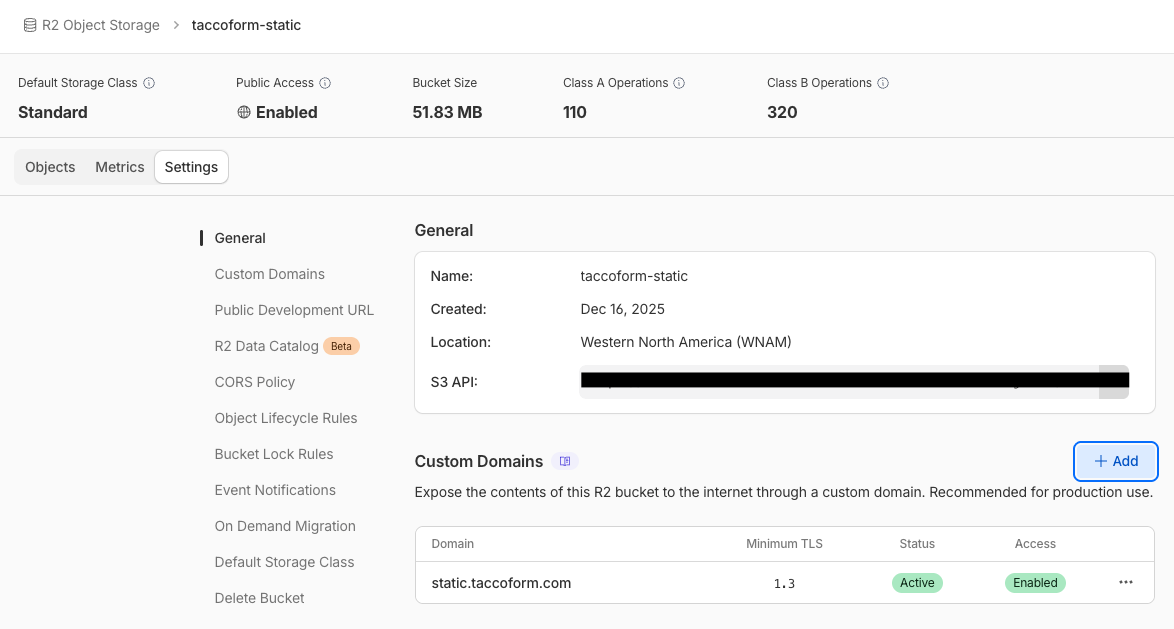
- During the bucket setup, I noticed a “Data Migration” link under the
R2 object storage headingin the cloudflare dashboard. And realized that I could just use the built-in tool. After I entered the source and destination bucket credentials, I started the migration and it took less than a minute! I could have pushed the local backup to the new bucket viaawscli, but I wanted to test our Cloudflare’s tool to see how the onboarding experience would be.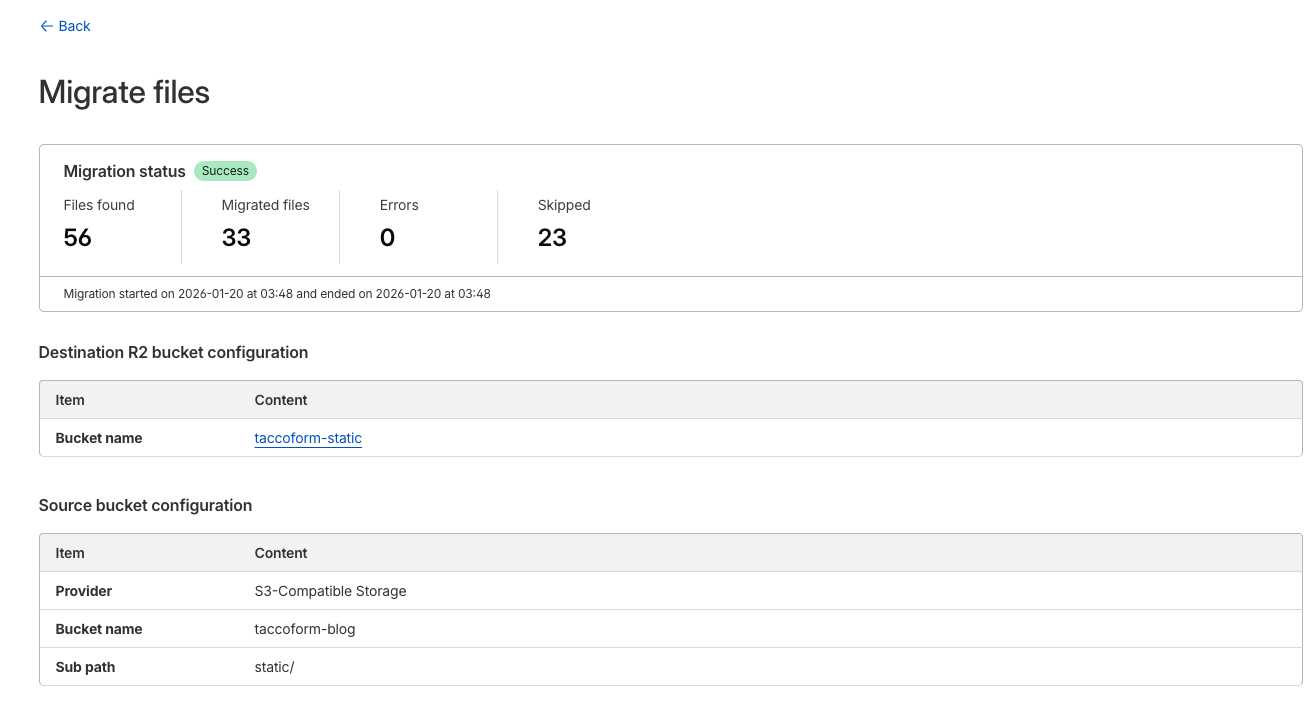
If you wanted to do this manually, you can create the access and secret key in Cloudflare, update the exported credentials in your terminal and run something like this:
$ aws s3 cp static/ s3://taccoform-static/ --endpoint=https://CFACCOUNTNUMBERGOESHERE.r2.cloudflarestorage.com --recursive
- Now all that’s left is cleaning up the bucket on the DigitalOcean side
In Review
After messing with R2 for a bit, it seems like a great option for replacing simple public buckets like this one. The price is right (free) and if you’ve been around AWS, it has a familiar interface.
As always, feel free to reach out on twitter via @taccoform for questions and/or feedback on this post